Glass UI
An agent skill I built so Claude Code, Codex or Cursor can build Liquid Glass interfaces without guessing: bars, tab bars, pills, menus, dialogs, widgets and controls. Every surface is a real lens measured from Apple's WWDC25 frames: the content behind bends through the rim, a lit edge follows the light, and a button can grow into a menu while the backdrop keeps bending through its edge.
Live Demo
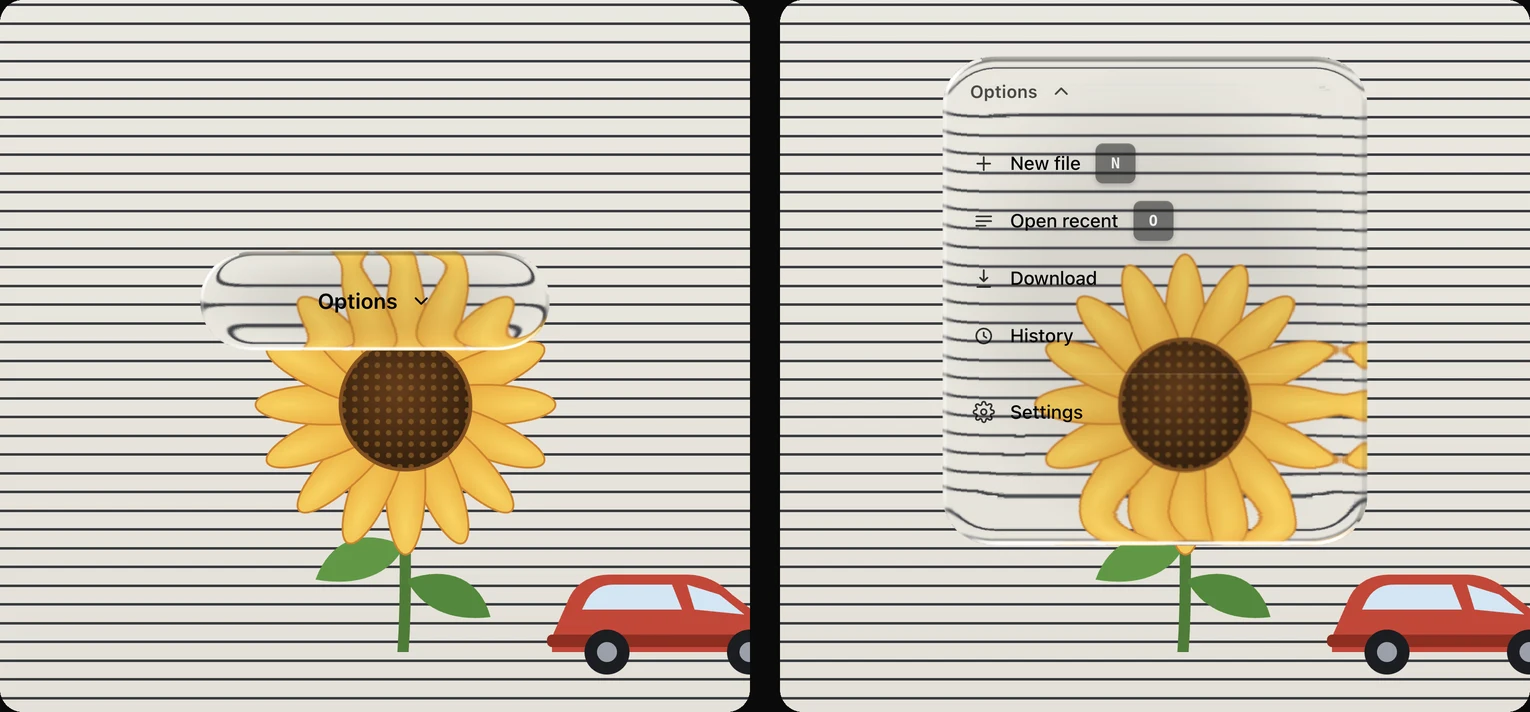
One piece of glass over a striped page and a sunflower. The lines and petals bend into its edge, and when you click it the same glass grows into a menu.
Install
Download the skill into your Claude Code skills folder:
curl -fsSL https://www.devmafex.com/glass/refractive-glass-ui.zip -o /tmp/glass-ui.zip
unzip -o /tmp/glass-ui.zip -d ~/.claude/skillsUsing Codex, Cursor or another agent? Unzip it into the shared skills folder instead:
unzip -o /tmp/glass-ui.zip -d ~/.agents/skillsThen just ask for it:
Build this with the glass UI skill.What's Inside
The recipe the agent follows: the material, a surface map of every component, and wiring rules
glass.css
Tokens and component classes. Works in plain HTML, Vue, Svelte, Astro or anything else
refractive.js
A framework-free refraction engine that builds an SVG displacement filter per element
React components
GlassPill, GlassDock, GlassToolbar, GlassMenu, GlassDialog and more, typed for React 19
controls.js
Slider dragging and keyboard control, plus menu open and close with Escape and outside click
Snapshot test
Renders 29 components in headless Chrome and pixel-diffs them, so edits can't quietly change the look
How the Glass Works
- Fill. A thin white lift over a light frost for bars and menus, a bare lens for media controls, or the legacy charcoal chrome. The fill keeps glass readable even where refraction isn't supported.
- Refraction. Shape-true SVG displacement maps on backdrop-filter, built from the element's own outline, bend the background through the rim band with the profile measured on Apple's pill. The maps rebuild live while a control animates its size.
- One stroke. None on liquid glass: the engine draws the lit edge. The legacy smoked chrome uses either a 1px gradient rim or a 1px white hairline blended with overlay, never both.
- Light. A soft inner glow on persistent chrome and a hard drop shadow under the dock. The clear lens instead works like real glass: the backdrop bends along the outline of the control, a lit edge catches the light and shadows the far side, and the body stays clear at the rim. The bend profile, corner curve and rim light were all measured from Apple's WWDC25 frames.
Browser Support
- Chrome, Edge, Arc, Brave and Electron render the full refraction.
- Safari and Firefox don't support SVG backdrop filters yet, so the glass falls back to a blurred tint on its own.
- Reduced motion and reduced transparency settings are respected.